 Get Insights

Choosing Wi-Fi Diagnostic Hardware: Connectivity and Security Criteria
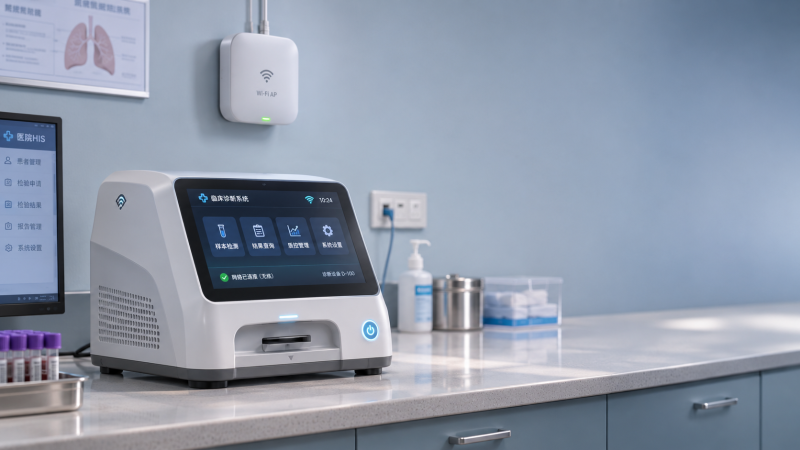
A Wi-Fi-enabled diagnostic device is not necessarily ready for a clinical network. A radio specification confirms only part of the connection: the device must also authenticate under local security policies, maintain useful data delivery in its intended environment, and behave safely when connectivity is interrupted.
The strongest choice is not automatically the device with the newest wireless standard. It is the one whose connectivity, cybersecurity controls, and failure behavior can be demonstrated against the actual workflow. A stationary analyzer that uploads completed results has different requirements from a mobile monitor that sends time-sensitive observations while moving between access points.
Define what the wireless connection has to support
Before comparing radios, identify which functions depend on the network. Diagnostic hardware systems with wifi may use the connection to send results, retrieve patient or worklist information, synchronize time, receive software updates, or support remote servicing. Each function creates a different availability and security requirement.
A delayed software update and a delayed clinical alarm do not have the same consequences. Establish whether the device must communicate continuously or only at defined points in the workflow. For each data flow, identify the destination, expected traffic pattern, acceptable delay, and consequence of an interruption. Include dependencies on local servers, cloud services, DNS, and time synchronization where they are relevant.
Also distinguish the wireless link from the complete application path. A device can remain associated with an access point while a firewall, authentication server, application endpoint, or upstream network is unavailable. Evidence that it stays connected to Wi-Fi does not establish that results reach their intended destination.
Check network compatibility beyond the Wi-Fi version
Confirm the supported frequency bands, channel widths, and security modes against the network configuration and the regulatory domain in which the equipment will operate. A device that supports only 2.4 GHz, for example, may offer useful range in some layouts but can face congestion from other wireless equipment. A 5 GHz connection can provide access to different channels, but coverage must still be verified through the actual building materials and equipment layout. Support for 6 GHz is useful only where the device, infrastructure, and local rules permit its intended use.
Ask whether the stated capabilities apply to the complete product or only to its embedded radio module. Antenna placement, enclosure materials, mounting orientation, and nearby metal can materially change performance after integration. A module certification or datasheet alone does not demonstrate coverage for a finished diagnostic device installed on a cart or inside a cabinet.
Authentication compatibility deserves particular attention. Many managed healthcare networks use WPA2-Enterprise or WPA3-Enterprise with 802.1X, but the exact Extensible Authentication Protocol (EAP) methods and certificate requirements must match the infrastructure. A specification that says “enterprise Wi-Fi supported” is insufficient without naming the supported methods, credential types, and certificate-management process.
For mobile equipment, examine roaming behavior. Support for a particular roaming feature does not guarantee a seamless transition between access points: performance also depends on network configuration, signal overlap, authentication, and the device’s own roaming decisions. If a cart moves between rooms during data collection, test the application-level interruption and recovery time along the intended route rather than relying on a feature list.
Measure reliability in terms of the diagnostic task
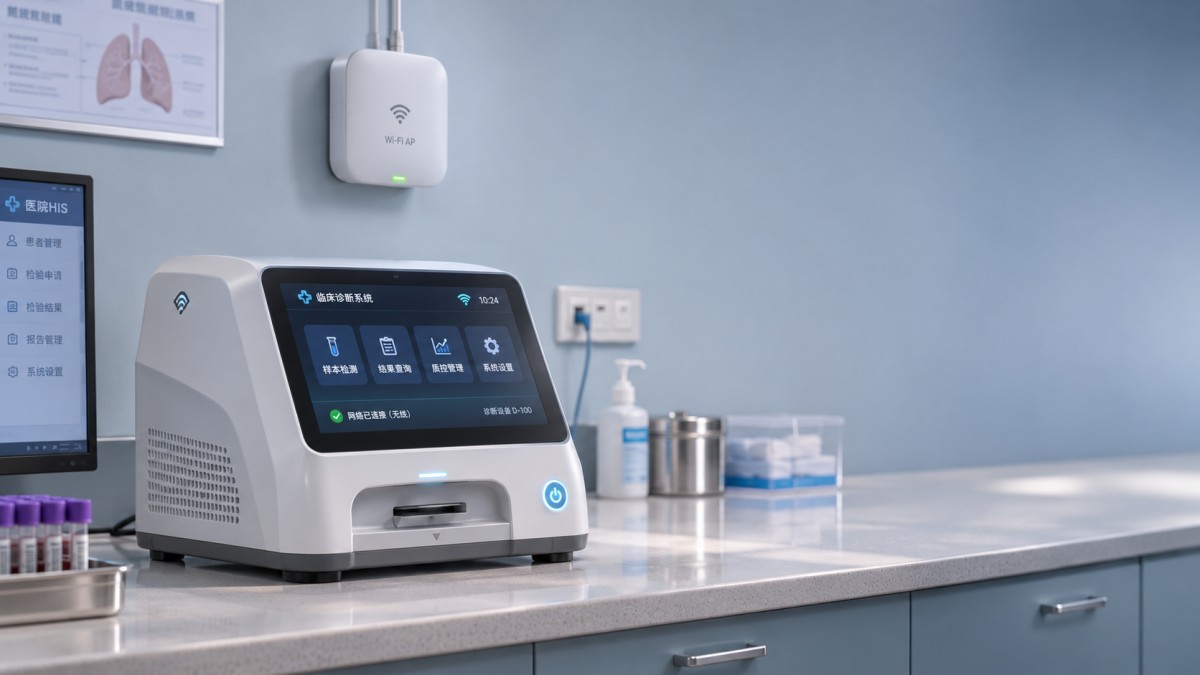
Signal strength is useful for troubleshooting, but it is not a substitute for application performance. Interference, retransmissions, access-point loading, and poor roaming decisions can affect delivery even when a device displays a strong signal. Conversely, a brief link interruption may be acceptable if the device safely buffers data and transfers it without loss when service returns.
A meaningful evaluation defines the operating conditions and the outcome being measured. Use the finished device with its intended software, mounting arrangement, network security configuration, and representative traffic. Record the location, access point configuration, radio conditions, firmware version, and test duration so that results can be interpreted and repeated.
Relevant measurements depend on the workflow, but may include:
- Delivery latency: Time from creation of a result or event to its receipt by the intended system, including variation under load.
- Data completeness: Whether records are lost, duplicated, reordered, or corrupted during interruptions and reconnection.
- Recovery: Time and operator action needed to resume service after an access point restart, signal loss, or authentication failure.
- Roaming impact: Application interruption and data handling while the device moves between coverage areas.
- Offline capacity: Amount of data retained locally, retention limits, and behavior when storage is full.
Set acceptance limits according to the intended use rather than applying a generic latency or signal-strength threshold. A batch-upload instrument may tolerate a longer outage if its records remain intact and traceable. A device whose workflow depends on timely notification needs a tighter, explicitly justified limit and a clear response when that limit is exceeded.
Examine what happens when the connection fails
Failure behavior is a selection criterion, not merely a support detail. Determine whether the device continues acquiring measurements, whether it displays an accurate connection state, and whether it distinguishes “stored locally” from “received by the destination.” A generic wireless icon cannot establish that a result was accepted by the clinical application.
For buffered data, ask how records are timestamped, protected, and reconciled after reconnection. The system should have a defined way to avoid silent loss or duplication and to preserve the association between a result and the correct patient or specimen. If a destination rejects a message, find out whether the device alerts an operator, retries automatically, or leaves the record in a reviewable queue.
Test failure modes separately: loss of radio coverage, invalid credentials, an unavailable DNS service, a reachable network with an unreachable application server, and a full local buffer. These conditions can produce different device behavior. Where an interruption could affect a clinical decision, the appropriate fallback must be established through the device’s intended-use and risk-management documentation, not assumed from its connectivity features.
Assess security across the whole data path
Wi-Fi encryption protects traffic over the wireless link; it does not by itself secure data throughout the rest of the network. Identify where diagnostic data travels after leaving the device and whether application-layer encryption, such as TLS, protects the connection to the destination. Check how the device validates server identity and handles expired, replaced, or untrusted certificates. Encryption without effective identity validation can leave a connection vulnerable to impersonation.
Review how the device stores sensitive data and credentials, including records buffered during an outage. Ask whether stored data is encrypted, how cryptographic keys are protected, and what happens when the device is decommissioned, repaired, or transferred. If local storage cannot be sanitized through a documented process, replacement or disposal can create a residual data exposure.
Device identity should also be manageable at scale. Shared credentials may simplify initial setup but make it harder to isolate a single compromised device. Where certificates are used, confirm how they are provisioned, renewed, revoked, and replaced without interrupting essential operations. An authentication method is operationally viable only if the organization can maintain it throughout the equipment’s service life.
Examine access paths beyond normal result transmission. Remote support, web interfaces, service accounts, USB ports, and wireless configuration interfaces can affect the security of a device even when the primary Wi-Fi connection is encrypted. Request documentation of enabled services, required ports and destinations, access controls, and the process for disabling unused functions. Network segmentation can reduce exposure, but it does not replace secure device configuration or vendor maintenance.
Verify updates, vulnerabilities, and lifecycle support
A diagnostic device may remain in service longer than a typical consumer wireless product. Selection should therefore account for how security and connectivity will be maintained after installation. Request the supported software and firmware versions, update mechanism, expected support period, and the process for communicating end-of-support dates.
Determine whether updates are authenticated and integrity-checked before installation, whether rollback is controlled, and what recovery path exists after an interrupted update. For equipment whose availability affects care, agree on how updates are tested and scheduled and whether a temporary loss of connectivity changes device functionality.
A useful vulnerability-management response specifies how to report issues, how advisories are distributed, and how the manufacturer assesses and remediates affected components. A software bill of materials can help identify relevant components, but its value depends on its scope, accuracy, and maintenance. Ask how component information is updated and how it connects to the manufacturer’s vulnerability-response process.
Do not treat a cybersecurity questionnaire as proof of implementation. Request supporting evidence proportionate to the risk, such as architecture documentation, update procedures, relevant test summaries, and a documented description of residual risks. Independent assessment can add confidence, but its scope, product version, and test conditions should be checked before applying its conclusions to the device being considered.
Use standards and regulatory claims in context
Standards and regulations can inform the evaluation, but none should be treated as a universal “secure Wi-Fi” certificate. Applicability depends on the product’s intended purpose, classification, market, and the version of each relevant requirement. For medical devices, IEC 80001-1 addresses risk management for IT networks incorporating health software and health IT systems; it is not a substitute for testing an individual device on the intended network.
IEC 81001-5-1 addresses health software security activities in the product lifecycle, while IEC 62304 covers medical device software lifecycle processes within its scope. A manufacturer’s claim of alignment should be accompanied by an explanation of which product and lifecycle activities the claim covers. Neither reference alone establishes that a particular installation is secure or that every connectivity failure has been resolved.
Where EU MDR or IVDR requirements apply, regulatory documentation should be assessed against the device’s actual classification and intended purpose. Similarly, requirements in other jurisdictions must be checked for the specific product and market. A radio compliance declaration, medical-device authorization, and cybersecurity evidence answer different questions; one should not be presented as proof of the others.
Compare evidence under the conditions that matter
When alternatives appear similar on paper, use a common set of scenarios: the same network authentication policy, representative locations, expected data flows, and agreed interruption tests. Record both successful outcomes and operator intervention. A device that reconnects quickly but requires manual correction of duplicated records may impose more operational risk than a slower device that reconciles data reliably.
Separate mandatory requirements from desirable features. Incompatibility with the required EAP method, inability to protect buffered patient data, or unsafe behavior during a network outage may rule out an otherwise capable device. By contrast, support for an additional frequency band has limited value if the installed network cannot use it or if the intended workflow does not benefit.
The decision should rest on traceable evidence: what was tested, on which device and software version, under which conditions, and against what acceptance criteria. Where evidence is missing, the unresolved point should remain visible in the selection record rather than being filled by a wireless compatibility claim.
Recommended News
- 2026.11.22MedTech Benchmarking: Which Metrics Reveal Operational Performance?Dr. Alistair Thorne (Senior Biomedical Engineer)
- 2026.11.21Study Finds Declining Device Failure Transparency, Raising Questions About FDA OversightDr. Julian Rossi (RehabTech Specialist)
- 2026.11.21Technical Integrity Compliance: How to Document Design ChangesDr. Julian Rossi (RehabTech Specialist)
The VitalSync Intelligence Brief
Receive daily deep-dives into MedTech innovations and regulatory shifts.